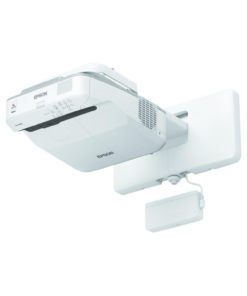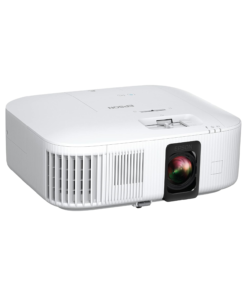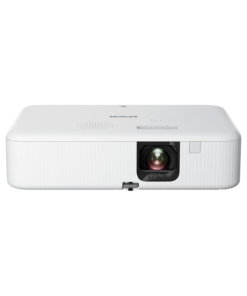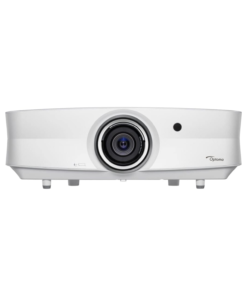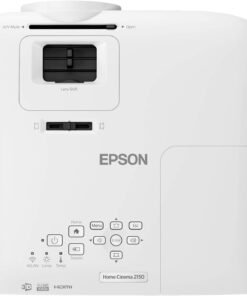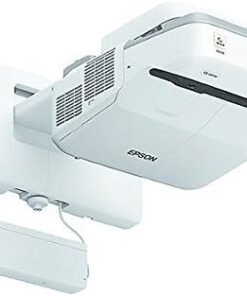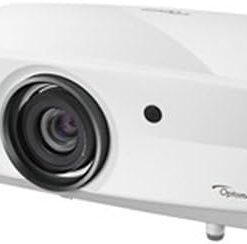








The Epson BrightLink 695Wi redefines collaborative learning by turning almost any flat surface into an interactive digital whiteboard. This ultra-short-throw projector eliminates shadows and eye glare while delivering bright, high-quality images in classrooms or boardrooms. Additionally, it integrates advanced touch-based interactivity, allowing multiple users to write, draw, and annotate simultaneously with ease.
Product Features in Detail
Epson utilizes 3LCD technology to provide 3,500 lumens of equal color and white brightness for exceptionally vivid presentations. Consequently, your audience sees accurate colors and sharp text even in well-lit environments where traditional projectors might appear washed out.
The ultra-short-throw design allows you to mount the unit just inches away from the wall to create an image up to 100 inches. Furthermore, this close-proximity placement prevents the presenter from blocking the light path, ensuring a seamless experience during interactive sessions.
Dual-pen support and finger-touch interactivity enable up to eight users to collaborate at the same time on the projected surface. Moreover, this hardware supports familiar gestures like swipe and pinch-to-zoom, making the digital workspace feel as intuitive as a tablet or smartphone.
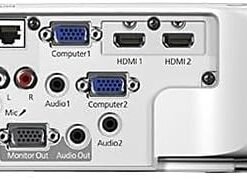
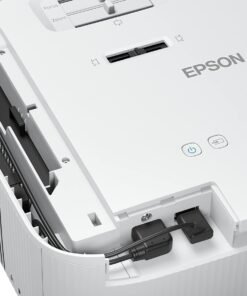
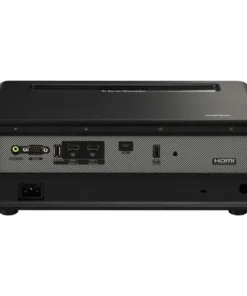
Connectivity remains a primary strength as the device features three HDMI inputs and MHL support for various digital sources. Similarly, you can connect computers, document cameras, and mobile devices to switch between different educational materials instantly.
The PC-free annotation mode allows users to write on the board without ever connecting a computer or installing software. Subsequently, teachers can walk into a room and start a lesson immediately using only the built-in interactive tools and a USB drive.
Wireless screen mirroring via Miracast and AirPlay allows students to share their work directly from their personal devices. In addition, the moderator software gives the instructor full control over which student screens appear on the main display to maintain focus.
Why Choose This Product
You should choose the Epson BrightLink 695Wi because it offers a cost-effective alternative to expensive interactive flat-panel displays. Specifically, it provides a much larger interactive area than standard monitors while maintaining the flexibility of a traditional projector.
The long-lasting lamp life reduces the total cost of ownership by extending the time between maintenance cycles. Accordingly, schools and businesses can rely on this equipment for years of daily use without worrying about frequent bulb replacements or high energy bills.
Its compatibility with popular office and classroom software ensures that your existing digital curriculum works perfectly from day one. Because it supports both finger-touch and pen inputs, it caters to different teaching styles and user preferences effortlessly.
Specifications Table
| Feature | Specification |
| Projection System | 3-Chip 3LCD Technology |
| Native Resolution | 1280 x 800 (WXGA) |
| Color Brightness | 3,500 Lumens |
| White Brightness | 3,500 Lumens |
| Interactive Modes | Finger-touch and Dual Pen |
| Throw Ratio Range | 0.28 – 0.37 |
| Connectivity | 3x HDMI, 1x VGA, Composite, MHL |
| Wireless | Optional Wi-Fi (Miracast Support) |
| Audio | Built-in 16 W Speaker |
| Lamp Life | Up to 10,000 Hours (ECO Mode) |
| Contrast Ratio | Up to 14,000:1 |
| Maximum Image Size | 100″ Diagonal |
Frequently Asked Questions
- Is the Epson BrightLink 695Wi suitable for classrooms?
Firstly, yes, this projector is designed for educational environments. Its dual-pen interactivity allows teachers and students to annotate and collaborate directly on the screen, making lessons more engaging and interactive. - How does dual-pen interactivity work?
Moreover, the projector supports two users working simultaneously on the screen with compatible pens. This feature promotes teamwork and group participation in both classrooms and meeting rooms. - Can I connect multiple devices at the same time?
Therefore, yes, it includes HDMI, VGA, composite video, and three HDMI inputs, allowing users to connect laptops, PCs, and other devices simultaneously for versatile presentations. - How does Jazz Cyber Shield enhance projector security?
Additionally, Jazz Cyber Shield protects all networked and wireless connections while using interactive features. It ensures safe data sharing and prevents cyber threats during collaborative sessions. - Jazz Cyber Shield Canada or Europe me b ship kra h?
Finally, yes, Jazz Cyber Shield ships worldwide including USA, Canada, UK, Germany, France, and across Europe with full manufacturer warranty and a 30-day return policy included.


Reviews
There are no reviews yet.