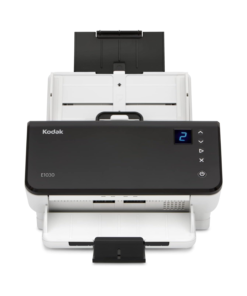
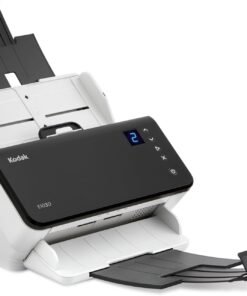
Kodak i940 Scanner – Product Overview
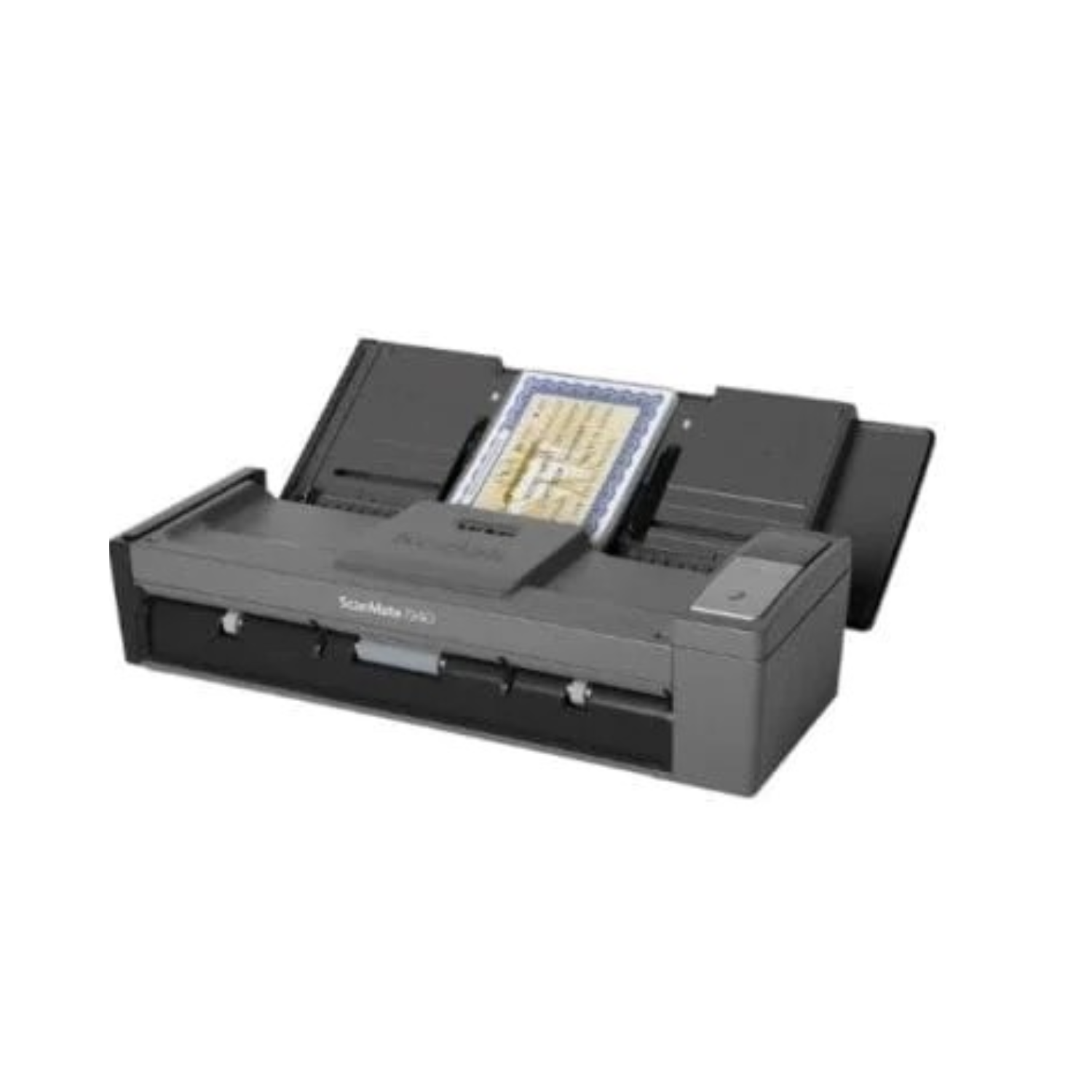
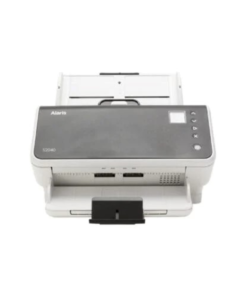
The Kodak i940 Scanner brings speed, portability, and productivity into one compact device, making it ideal for busy professionals on the go or small office environments. Designed for versatility, it effortlessly converts paper documents into searchable digital files, streamlining document management like never before. Moreover, it operates via USB power, making it perfect for mobile scanning without needing an external power source.
Product Features – Full Details
1. Compact and Portable Design
First of all, the Kodak i940 Scanner weighs just 2.9 lbs, making it incredibly portable. You can carry it in a laptop bag and set it up anywhere — at a client site, a small desk, or even a coffee shop. Its small footprint does not compromise its performance, giving you the best of both worlds.
2. High-Speed Scanning
Next, the i940 delivers an impressive scanning speed of up to 20 pages per minute (ppm) and 40 images per minute (ipm) in duplex mode. Whether you’re scanning contracts, receipts, or IDs, this scanner keeps pace with your workflow.
3. USB-Powered Convenience
In addition, the scanner supports USB-powered operation. You can simply plug it into your laptop or PC without worrying about extra cables or power outlets. This feature increases its flexibility for mobile and remote work settings.
4. Advanced Image Processing
Furthermore, the i940 includes Kodak’s Perfect Page technology, which automatically enhances the quality of scanned images. It adjusts brightness, contrast, and sharpness, ensuring clear, readable results even from imperfect originals.
5. Versatile Media Handling
Another benefit is its ability to handle a wide range of media types. From business cards and ID cards to long documents and even embossed cards, the i940 accommodates various scanning needs with ease.
6. Software Bundle Included
To add even more value, the scanner comes bundled with powerful software, including Nuance PaperPort, NewSoft Presto! BizCard, and Kodak Capture Pro Limited Edition. These tools help you organize, edit, and manage scanned documents efficiently.
Why Choose the Kodak i940 Scanner?
Firstly, you should choose the Kodak i940 because it combines mobility with performance in a way few scanners can. It’s built for professionals who value speed, quality, and portability. Kodak’s reputation for producing reliable imaging technology ensures you receive a long-lasting, trustworthy product.
Secondly, the intuitive setup and bundled software simplify document management, saving time and reducing frustration. It integrates easily with existing workflows — whether you use Windows or Mac.
Moreover, its Perfect Page Technology sets it apart in image clarity, enabling users to achieve professional-grade scans without manual edits. Even better, its USB-powered feature ensures you’re never tethered to a wall socket.
Finally, if you’re someone who travels frequently or works from multiple locations, the Kodak i940 is a must-have tool for keeping your paperwork organized and digitized in real-time.
Additional Benefits
Environmentally friendly: USB-powered operation reduces energy consumption.
High daily duty cycle: Handles up to 500 pages per day, ideal for small business use.
Built-in card reader: Scans ID and embossed cards without jamming.
One-touch scanning: Predefined scan settings help you initiate scans quickly.
Tight integration with cloud and storage systems: Makes file archiving and sharing seamless.
Specifications Table
| Feature | Details |
|---|
| Scanner Type | Duplex mobile scanner |
| Optical Resolution | 600 dpi |
| Scan Speed (B/W and Color) | Up to 20 ppm / 40 ipm (200 dpi) |
| Daily Duty Cycle | Up to 500 pages/day |
| Input Capacity | 20-sheet Automatic Document Feeder (ADF) |
| Connectivity | USB 2.0 (USB 3.0 compatible) |
| Dimensions (H x W x D) | 3.1 x 11.4 x 4.2 inches |
| Weight | 2.9 lbs (1.3 kg) |
| Power Source | USB-powered or AC adapter |
| Media Types Supported | Paper, ID cards, business cards |
| Bundled Software | PaperPort, BizCard, Kodak Capture Pro LE |
| Compatible Operating Systems | Windows, macOS |
FAQ
Can I use the Kodak i940 without a power outlet? Yes, the i940 features a USB-powered mode. By connecting the included USB cable to your laptop, you can power the scanner and process documents anywhere. Note that scanning speeds may be slightly lower compared to using the AC power adapter.
Does the scanner work with business cards and plastic IDs? The i940 includes a specialized paper path that handles thick materials. You can scan embossed plastic cards, insurance cards, and business cards alongside standard office paper without worrying about jams or damage to the sensor.
What is the benefit of the Smart Touch feature? Smart Touch allows you to automate your workflow. You can set up shortcuts for common tasks, such as scanning to a PDF or sending a document directly to an email recipient. This eliminates several manual steps and speeds up your filing process.
Is the Kodak i940 compatible with both Mac and PC? The scanner includes TWAIN and ISIS drivers which ensure full compatibility with Windows and macOS. It integrates seamlessly with most document management software, allowing you to scan directly into your existing digital ecosystem without compatibility issues.
Does Jazz Cyber Shield ship to Canada and Europe? Yes. Jazz Cyber Shield ships worldwide including USA, Canada, UK, Germany, France, and across Europe with full manufacturer warranty and 30-day return policy included. We manage our logistics carefully to provide fast and secure delivery to our international customers, ensuring your professional equipment arrives in perfect condition.


 +1 (512) 885-5387
 info@jazzcybershield.com




















Reviews
There are no reviews yet.