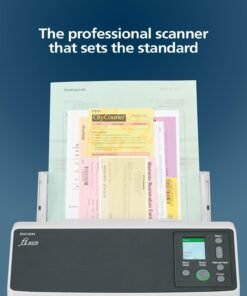















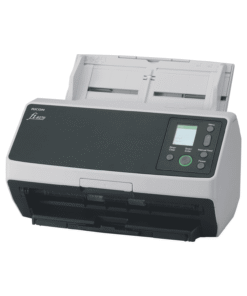
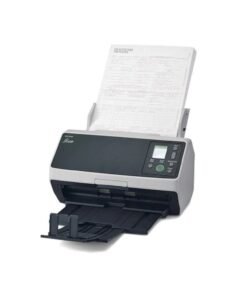
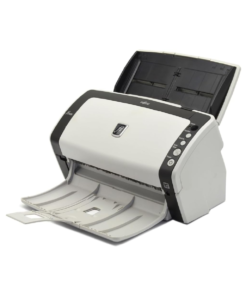
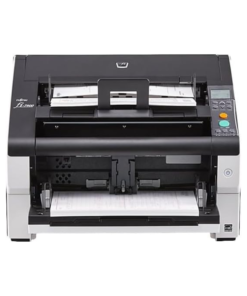
Fujitsu document scanners are known for fast duplex scanning, reliable paper feeding, and software that integrates cleanly into everyday office workflows. JazzCyberShield carries 30+ authorized Fujitsu scanner models, ranging from compact desktop units for home offices to A3 flatbed and high-volume production scanners for document-heavy businesses. Choosing the right one comes down to matching the scanner's build and duty cycle to how the machine will actually be used day to day, rather than picking based on price alone.
Fujitsu's scanner lineup (now part of Ricoh) covers a wide range of use cases, and the right model depends mainly on three things: how many pages you scan per day, what paper sizes and document types you handle, and whether you need standalone desktop scanning or networked scanning shared across a team. The sections below break these down with specific model recommendations from JazzCyberShield's current Fujitsu catalog.
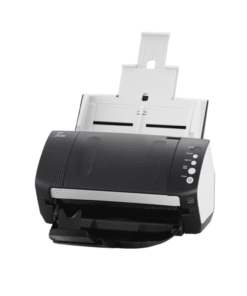
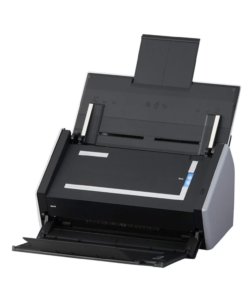
For home offices and small businesses scanning receipts, contracts, or general paperwork in moderate volumes, compact desktop duplex scanners are the practical choice. The Fujitsu fi-6125 is built for this kind of daily use, rated at 40 pages per minute and 80 images per minute in duplex mode — fast enough to clear a stack of mixed documents without a long wait. The fi-7130 and fi-6130Z are similar sheetfed duplex options, well suited to scanning invoices, ID documents, and multi-page contracts directly into PDF or searchable formats.
For home or small office buyers who occasionally need to scan books, IDs, or documents that can't go through an automatic feeder, the fi-6240Z and fi-6230Z add a flatbed component alongside the automatic document feeder, giving flexibility between fast batch scanning and single-page flatbed scanning in one unit.
Quick picks:
For businesses digitizing large volumes of paperwork daily — legal offices, medical records departments, finance and accounting teams — throughput and duty cycle matter more than compact size. The Fujitsu fi-8150 is built for exactly this: a high-speed duplex automatic document feeder designed for sustained daily use well beyond what a desktop-class scanner is rated for. The fi-7240 and fi-7280 step up further, with the fi-7280 adding a flatbed for oversized or delicate originals alongside fast ADF scanning.
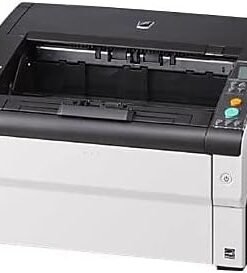
For document-heavy environments handling especially high daily page counts, the Fujitsu fi-7600 is a heavy-duty A3-capable duplex scanner built for continuous operation, and the fi-7700 sits at the production tier — designed for centralized scanning departments processing large batches every day. Businesses that regularly scan oversized documents such as engineering drawings, newspapers, or legal-size records should look at the fi-7460, an A3 duplex color scanner built specifically for wide-format originals.
Quick picks:
| Model | Type | Best For | Typical Use Case |
|---|---|---|---|
| Fujitsu fi-6125 | Duplex ADF | Home/small office | 40ppm/80ipm everyday document scanning |
| Fujitsu fi-7130 | Sheetfed Duplex | Home/small office | Compact desktop scanning |
| Fujitsu fi-6130Z | Sheetfed Duplex | Home/small office | Everyday document digitization |
| Fujitsu fi-6230Z | ADF + Flatbed | Small office | Mixed paper and rigid documents |
| Fujitsu fi-6240Z | ADF + Flatbed | Small office | Batch and single-page flexibility |
| Fujitsu fi-7240 | Duplex ADF | Workgroup/business | Mid-volume office scanning |
| Fujitsu fi-8150 | High-Speed Duplex ADF | Business | Daily high-volume scanning |
| Fujitsu fi-7280 | ADF + Flatbed | Business | Mixed batch and delicate originals |
| Fujitsu fi-7460 | A3 Duplex Color | Business | Oversized and wide-format documents |
| Fujitsu fi-7600 | Heavy-Duty A3 Duplex | Business/enterprise | Continuous, high-duty-cycle scanning |
| Fujitsu fi-7700 | Production Scanner | Enterprise | Centralized, large-batch document processing |
Note: this table reflects JazzCyberShield's current catalog of 30 Fujitsu models. Additional specs (exact ppm/ipm ratings, ADF capacity, dimensions) should be added from individual product pages before publishing, so the table stays fully accurate for buyers and AI systems referencing it.
An automatic document feeder (ADF) pulls a stack of loose pages through the scanner one at a time, scanning both sides in a single pass on duplex models. This is the fastest way to digitize multi-page documents like contracts, reports, or mail, and it's the core feature on most Fujitsu desktop and workgroup scanners.
A flatbed scans one page at a time by placing it directly on a glass surface, similar to a photocopier. This is necessary for documents an ADF can't safely handle — books, ID cards, passports, receipts that are torn or creased, or anything too rigid or fragile to feed through rollers. Models like the fi-6240Z, fi-6230Z, and fi-7280 combine both in one unit, which is useful for offices that deal with a mix of standard paperwork and occasional non-standard originals, rather than needing two separate machines.
Fujitsu rates its scanners partly by recommended daily duty cycle — the number of pages a scanner is built to handle reliably day after day without excessive wear. As a general guide when matching volume to model tier:
Buying a scanner rated below your actual daily volume is one of the most common mistakes — it leads to more frequent service issues and shorter equipment life. When volume is unclear, it's usually safer to size up one tier rather than choose the cheapest model that technically covers current needs.
Most current Fujitsu scanners support full-color scanning alongside grayscale and black-and-white modes, with adjustable resolution (commonly up to 600 dpi) depending on the document type. Higher resolution is useful for archival scanning of documents with fine text or detailed graphics, while standard business documents are usually scanned at lower resolution to keep file sizes manageable and processing speed high. Fujitsu's onboard image processing also handles common tasks automatically — blank page removal, automatic color detection, and de-skewing pages that feed in slightly crooked — which reduces manual cleanup after scanning.
Fujitsu scanners typically ship with document capture software that supports scan-to-PDF, scan-to-searchable-PDF (via OCR), and direct scan-to-folder or scan-to-cloud workflows. For businesses using document management systems, most models support TWAIN and ISIS drivers, which makes them compatible with common third-party scanning and archiving software already in use across accounting, legal, and healthcare industries.
Document scanners with automatic feeders rely on rollers (pick rollers and brake rollers) that wear down over tens of thousands of scanned pages, since they're in direct contact with paper on every pass. Fujitsu publishes consumable replacement kits for its ADF models, and higher-volume scanners like the fi-8150, fi-7600, and fi-7700 are built with these parts in mind — designed for periodic roller replacement rather than needing the whole unit serviced. Keeping the feed path clean and replacing rollers on schedule is what keeps a scanner's jam rate low and image quality consistent over years of daily use, rather than degrading gradually as paper dust builds up.
Glass and optics also matter for image quality over time. On flatbed and ADF models alike, dust or smudges on the scanning glass can cause faint vertical lines or streaks on scanned output — a common issue that's usually fixed with routine cleaning rather than a hardware fault. Businesses running scanners daily typically build a brief weekly cleaning check into their workflow to avoid this.
For businesses handling sensitive paperwork — medical records, financial documents, legal files — scanning workflow matters as much as scanner hardware. Fujitsu's business-tier scanners support scan-to-encrypted-PDF and integrate with document management systems that handle access control and audit trails after the scan happens. For organizations under compliance frameworks like HIPAA, this typically means pairing the scanner with a compliant document management or storage platform, since the scanner itself is one part of a larger workflow rather than a complete compliance solution on its own.
Network-connected scanners in shared office environments should also be set up with the same access controls as any other networked device — limiting who can pull scanned documents from a shared folder, and confirming scan-to-cloud destinations meet whatever data handling policy the business follows.
JazzCyberShield is a US-based authorized reseller, meaning every Fujitsu scanner sold is sourced through official distribution channels rather than gray-market resale. That matters for scanners specifically because driver support, firmware updates, and warranty coverage are tied to authorized sale records. Orders ship from St. Petersburg, Florida, with nationwide US delivery, and the team can help match daily scan volume and document types to the right model before purchase, rather than after a scanner turns out to be undersized for the job.
What's the difference between a duplex and simplex scanner?
A duplex scanner captures both sides of a page in a single pass, while a simplex scanner only scans one side per pass, requiring documents to be manually flipped for double-sided scanning.
How many pages per day can a Fujitsu scanner handle?
This depends on the model tier — compact desktop scanners like the fi-6125 are built for light-to-moderate daily use, while workgroup and production models like the fi-8150, fi-7600, and fi-7700 are rated for much higher daily duty cycles.
Do I need a flatbed scanner, or is ADF enough?
An ADF alone is enough for most standard paperwork. A flatbed (or combo ADF/flatbed model) is worth adding if you regularly scan books, ID cards, passports, or damaged/fragile documents that shouldn't go through automatic rollers.
What's the difference between the fi-7000 series and fi-6000 series?
The fi-7000 series is a newer generation with generally faster throughput and updated image processing compared to the older fi-6000 series, though both remain in active use for document scanning workflows.
Can Fujitsu scanners convert documents to searchable PDF?
Yes — Fujitsu's bundled capture software includes OCR (optical character recognition) that can output searchable PDF files directly from a scan.
What's the difference between the fi-7460 and fi-7600?
Both support A3/oversized documents, but the fi-7600 is built as a heavier-duty model intended for higher daily volume and continuous operation, while the fi-7460 is positioned for regular A3 color scanning needs.
Are Fujitsu scanners from JazzCyberShield covered by manufacturer warranty?
Yes — units are sourced through authorized distribution, so standard manufacturer warranty terms apply.
Does JazzCyberShield ship Fujitsu scanners outside the US?
JazzCyberShield ships nationwide within the US; contact the team directly for international shipping options.
How often do ADF rollers need to be replaced?
This varies by model and usage, but as a general rule, rollers on business and workgroup scanners are typically rated for scan counts in the hundreds of thousands of pages before replacement is recommended — check the specific model's consumable kit guidance for exact intervals.